At 5000fish, we strive to make our live data dashboards as customizable as possible. We do this because by providing dashboards that are highly customizable, we can ensure that each user is receiving data that is relevant to them at the right time, and we are able to save our customers time and money because they don't have to build a unique dashboard for everyone in the company.
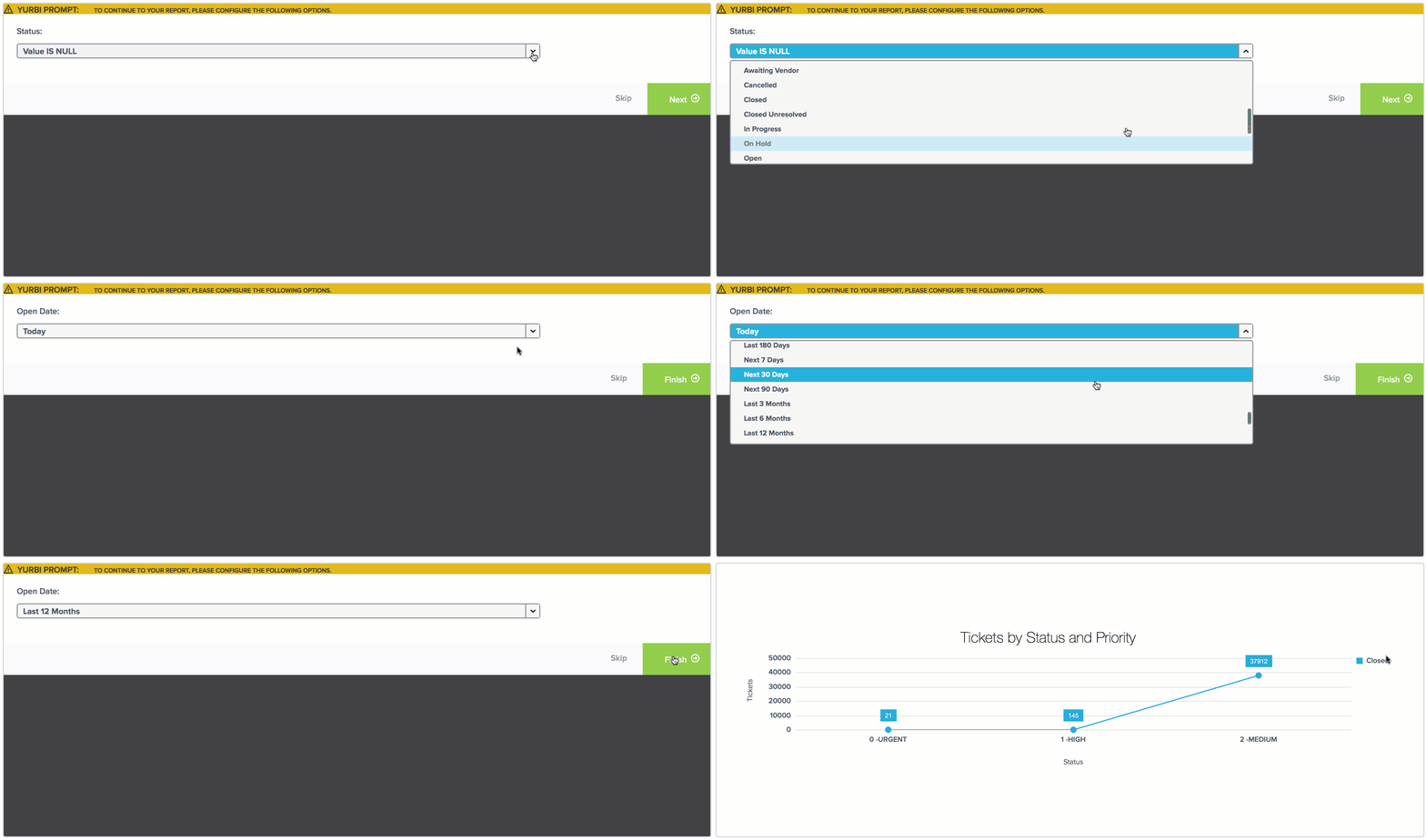
Currently, we allow users to pre-filter their Yurbi reports by selecting parameters that we call report prompts. These prompts are applied before Yurbi displays a report, allowing the user to determine which information is most relevant to them. This level of personalization permits Yurbi’s reports to remain dynamic because the information that is relevant to a user today may not be relevant later in the day or tomorrow.
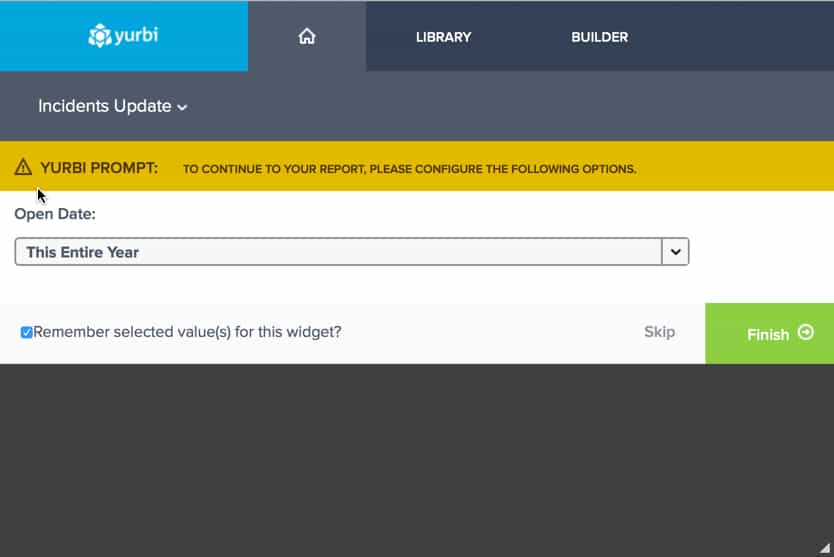 It’s important to note that defaulting your preferences does not lock you into one view – the filters are changeable and dynamic. You can clear your prompt preferences, or you can build off of your prompt preferences to tailor the report even further via the prompt panel on your report details screen.
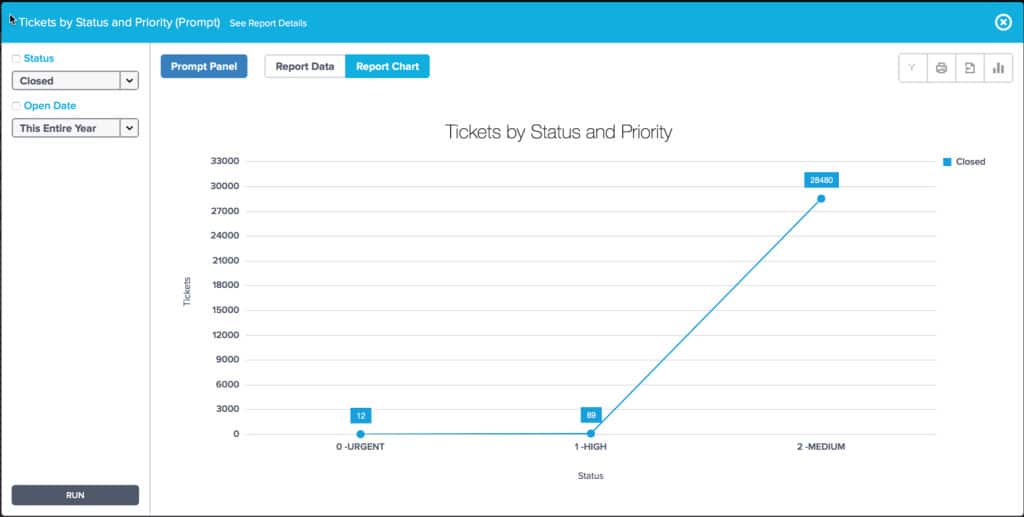 Users can update and save their preferences as many times as they would like, and these preferences will transfer to the mobile version of Yurbi as well.
The Update
And with the release of 10.2, the combination of Yurbi report prompts and dashboards became even better. Yurbi users can still customize their reports with prompts, but now there is an option on the dashboard to remember a user’s prompt preferences. That means you only have to set up your preferences once per report and each time you view your dashboard it will display exactly as you wanted it to – and these prompt preferences won't affect the dashboard for anyone else in your organization.
It’s important to note that defaulting your preferences does not lock you into one view – the filters are changeable and dynamic. You can clear your prompt preferences, or you can build off of your prompt preferences to tailor the report even further via the prompt panel on your report details screen.
Users can update and save their preferences as many times as they would like, and these preferences will transfer to the mobile version of Yurbi as well.
Where Data Prompts Are Going in the Future
In the near future, users’ abilities to save dashboard prompts are going to be expanded to apply to the overall dashboard level, not just the individual report widget level. That means when a user selects a prompt on the global dashboard level, the prompt will be applied to each, individual report (e.g. a specific date range). Another exciting update that we’ll be rolling out is the ability for users to save display output preferences on report views within Yurbi’s Chart Wizard. This will also save as their default view on the dashboard. You can learn more about Yurbi’s Report Views in our recent blog post, Yurbi’s Report Views Just Got a Little More Personalized. If you want to learn more about Yurbi’s dashboard report prompts contact our support team for more information!Stop rebuilding your reporting layer.
Embed Yurbi into your product and ship analytics to your customers in weeks — not quarters. Self-hosted, white-labeled, flat annual pricing.
Download Free Trial